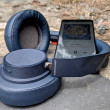


Review: Pantech Link
Bluetooth
Setting up Bluetooth on the Pantech Link was a snap. There's a dedicated shortcut pre-assigned to the Shortcut menu to jump to Bluetooth settings, and I had no trouble pairing my Plantronics headset with the phone. When you're playing music, there's a menu option to quickly send the audio signal to a stereo Bluetooth device, and music sounded great through my Bluetooth speakers. I was even able to send a file to my laptop from the photo gallery.
Clock
The clock on the standby screen is easy to read, and I like that Pantech leaves the clock up top in the notification bar in many apps, though not all of them. It was also easy to set up an alarm with the Link, and the phone can use music files as alarm ringtones.
GPS
AT&T Navigator does turn-by-turn duties on the Pantech Link, courtesy of TeleNav. Even on the small, low-res screen, AT&T Nav does a fine job keeping track of the phone's location. It helped me out with driving directions in and out of the big city, and did a fine job suggesting alternate routes when I got lost. The time to first fix was fairly quick, a matter of seconds, not minutes, but load times in the navigation app were fairly slow, just as they were with the Web browser. It took a couple minutes to load up a map, even when the phone registered four bars of 3G service.
 iPhone 16 Brings More Features to All Price Points, Including New Camera Control
 iOS 18 Overhauls Home Screen, Messaging, Photos
 Apple Intelligence Promises Personalized AI, Requires iPhone 15 Pro
 Light Phone Gets a Complete Redesign with Third Edition
 Anker's New Fast Wireless Chargers for iPhone Bring Portability, Affordability
 Pantech Link / P7040p